

Cost Optimization with FinOps on Google Cloud
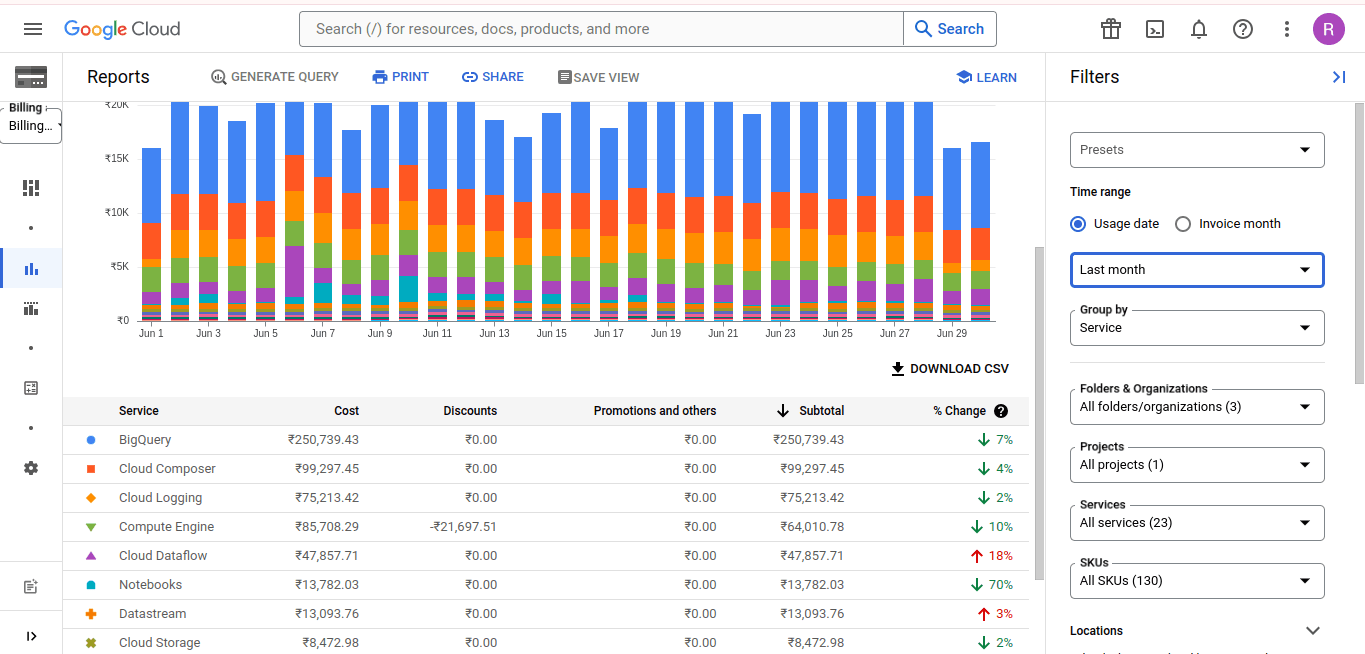
Managing cloud costs is a critical aspect of cloud strategy for any organization. Google Cloud Platform (GCP) provides various tools and practices to help optimize costs effectively. This blog will delve into the concept of FinOps, a set of practices that combines financial management with cloud operations, and how you can implement it on GCP to achieve significant cost savings.
Understanding FinOps
FinOps, or Financial Operations, is a practice that brings together finance, technology, and business teams to manage cloud costs efficiently. It focuses on optimizing cloud spending through collaboration, real-time visibility, and strategic planning.
Key Components of FinOps
- Visibility: Gain real-time insights into cloud spending across your organization. Use GCP’s built-in tools like Cloud Billing Reports and Cost Management Dashboard to monitor and analyze your expenses.
- Optimization:</b Identify and eliminate wasteful spending. Utilize features such as rightsizing, auto-scaling, and committed use discounts to reduce costs.
- Governance: Establish policies and controls to manage cloud costs. Implement budgeting and forecasting tools to ensure spending aligns with business goals.
- Collaboration: Foster collaboration between finance, operations, and engineering teams to ensure everyone is aligned on cost management objectives.
Implementing FinOps on GCP
To implement FinOps on GCP, follow these steps:
- Set Up Billing Accounts: Organize your billing accounts to provide visibility into different projects and departments. Use labels and tags to categorize and track spending.
- Enable Cost Management Tools: Utilize GCP’s cost management tools like the Cost Management Dashboard, Cloud Billing Reports, and Budget Alerts to monitor and control expenses.
- Optimize Resource Usage: Implement auto-scaling and rightsizing recommendations to ensure resources are used efficiently. Regularly review and adjust resource allocation based on usage patterns.
- Utilize Discounts: Take advantage of committed use contracts and sustained use discounts to lower your overall costs. Evaluate your usage patterns to determine the best discount options.
- Implement Budgeting and Forecasting: Use GCP’s budgeting and forecasting tools to set spending limits and predict future costs. Regularly review and adjust budgets based on actual usage.
Real-World Example: E-commerce Platform
An e-commerce company implemented FinOps on GCP to manage their cloud costs. By using GCP’s cost management tools and following FinOps practices, they achieved:
- 30% Cost Reduction: Through rightsizing and auto-scaling, they optimized resource usage, reducing costs significantly.
- Improved Visibility: Real-time insights into spending helped them identify and eliminate wasteful expenses.
- Better Collaboration: Finance and engineering teams worked together to align on cost-saving strategies, ensuring efficient resource allocation.
Conclusion
Implementing FinOps on Google Cloud enables organizations to manage and optimize cloud costs effectively. By focusing on visibility, optimization, governance, and collaboration, businesses can achieve significant cost savings and improve their overall cloud strategy.
LUMIQ specializes in helping organizations implement FinOps practices on Google Cloud. Contact us to learn how we can assist you in optimizing your cloud costs and driving financial efficiency.